
Admittedly, the Function that we created last month didn’t do a whole lot. We sent in a “name” and got a welcome message back. That’s okay though as we have something that can be added to source control.
Source Control Options#
- Visual Studio Team Services
- Local Git Repository
- GitHub
- BitBucket
- Dropbox
Azure Functions gives the developer a wide range of options. For this demo let’s use GitHub!
If you are not yet familiar with Git-based source control I recommend: Continuous Deployment For Azure Functions.
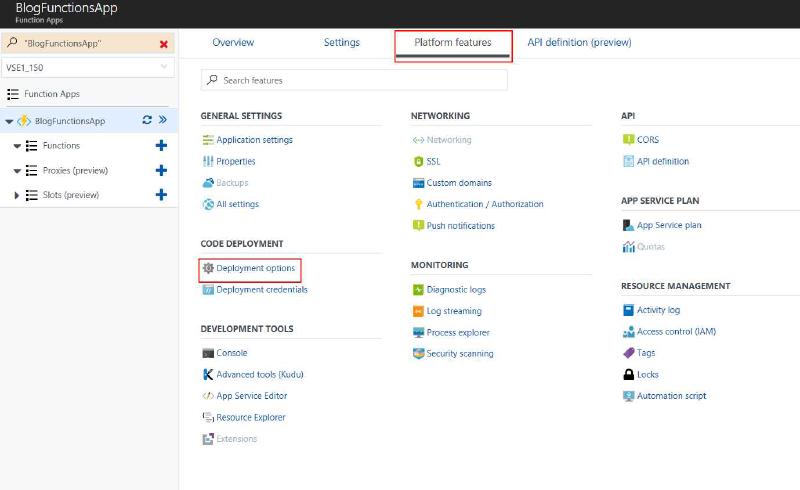
Open the Azure Portal, navigate to your Function App, select “Deployment Options” under Code Deployment, click Setup, select GitHub, authorize, and optionally add Performance Testing.
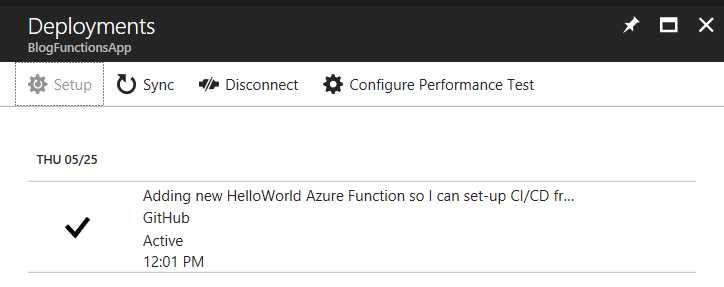
Once deployed, we can make a change in VS Code, commit and push to trigger a new deployment:
git add -A
git commit -m "Update showing CI/CD works."
git push origin master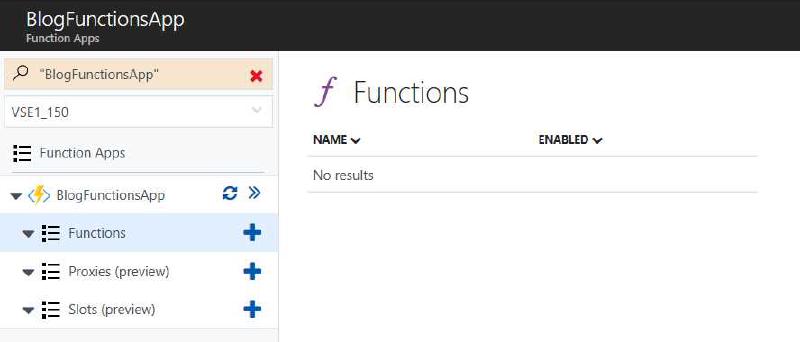
Conclusion#
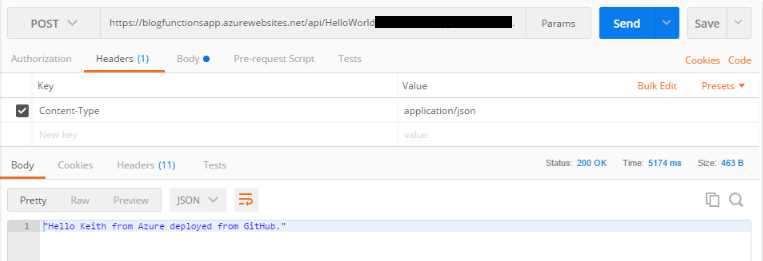
We now have CI/CD working from GitHub. We can make changes, push them, and see the results immediately in our Function.